Download Agent Hita
On-device AI protection from grooming, sextortion, scams, and digital manipulation. Private by design. No messages ever leave your phone.
iOS — Launching Soon
Set up in two steps
Install Agent Hita from the App Store, then open the app once to choose an age band and add a guardian email — the guardian confirms the address from the email we send.
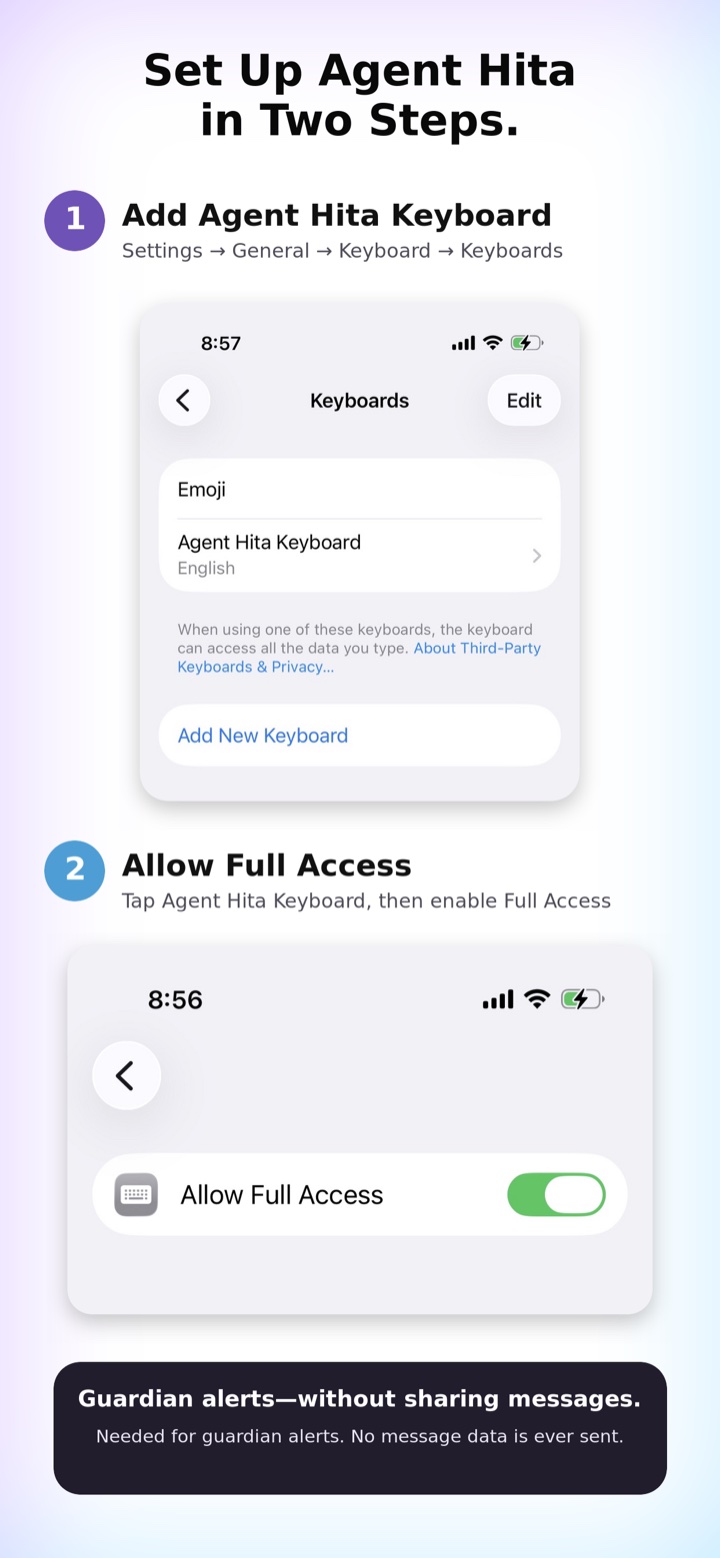
- Add the keyboard. Open Settings → General → Keyboard → Keyboards → Add New Keyboard, then choose Agent Hita Keyboard.
- Allow Full Access. Tap Agent Hita Keyboard in that list and turn on Allow Full Access. It's needed for guardian alerts, and no message data is ever sent.
In any app, press and hold the globe key on your keyboard and choose Agent Hita to start typing with protection on.
No messages stored
On-device AI
No cloud scanning
Source available